Last reviewed: June 2026
HiringCafe is the best free job-discovery tool we tested in 2026 — it pulls listings straight from 116,386 company career pages that often never reach Indeed or LinkedIn — but it crawls those pages only twice a day, reportedly indexes about 35% of open US jobs across the companies it tracks, and stops cold at the apply button, leaving you to fill out every application by hand. We tested HiringCafe for 7 days in June 2026, ran searches across tech, finance, and operations roles targeting $75K+ remote positions, and checked every major review platform — Trustpilot, ProductHunt, G2, Capterra, Sitejabber, BBB, and ScamAdviser. Here's what we found.
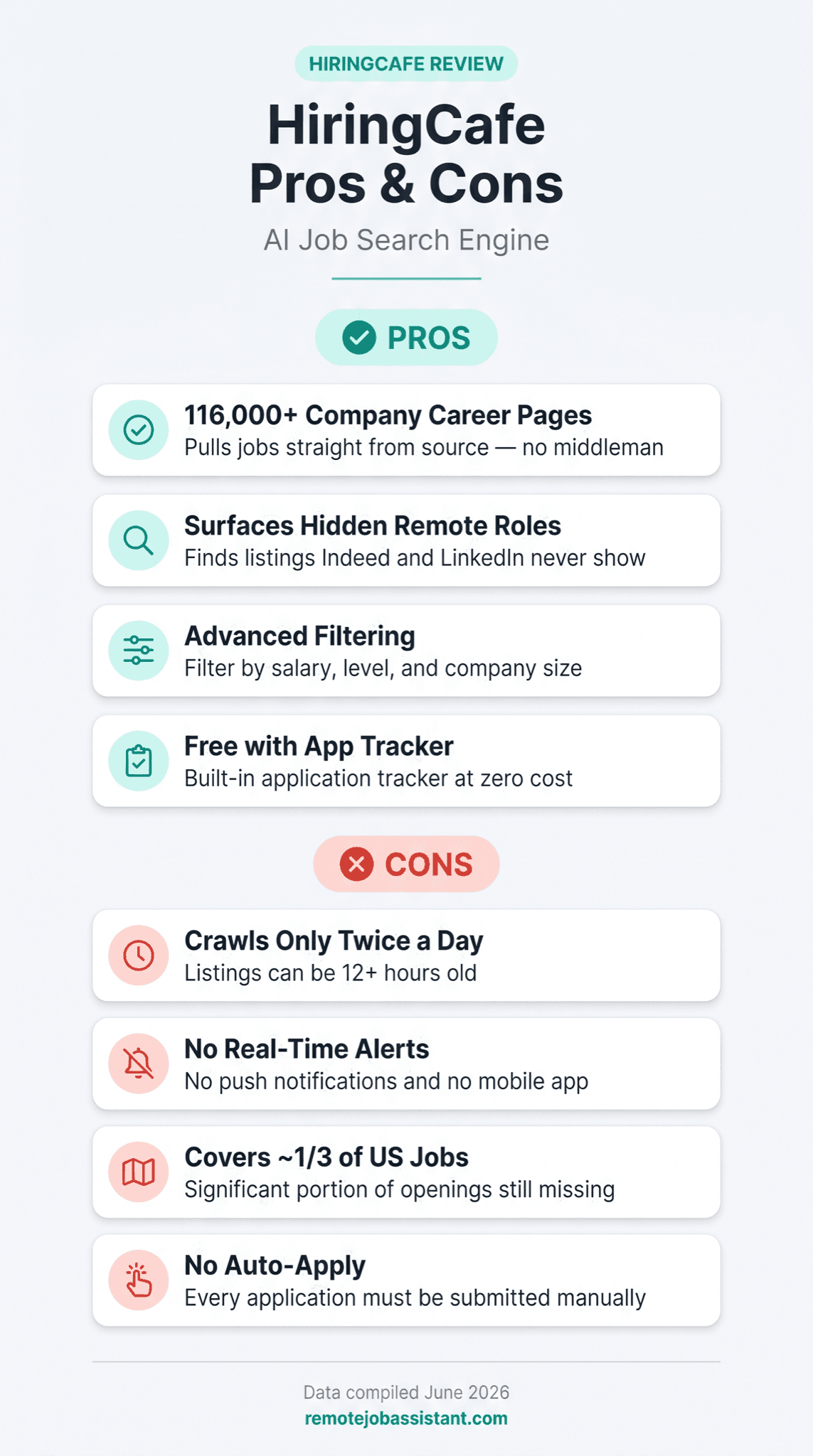
HiringCafe does one thing better than any other free tool: it surfaces remote jobs scraped directly from company career pages, including roles that never get posted to Indeed, LinkedIn, or Glassdoor. The filtering is genuinely better than the big boards, the interface has no ads or "Easy Apply" spam, and it costs job seekers nothing.
What it doesn't do, as of our June 2026 test: there's no auto-apply, no autofill, no real-time alerts, and no mobile app. Its crawler runs twice a day, so listings can be 12+ hours old before you see them — and reportedly only about a third of open US jobs are indexed so far.
Get Remote Job Tips in Your Inbox
Weekly strategies, salary data, and new opportunities
Unsubscribe anytime. No spam.
Bottom line: Use HiringCafe to find the jobs. Use Remote Job Assistant's auto-apply to actually apply to them — across 500,000+ company career pages, without re-typing your resume into every form.
Here's why that gap matters if you're running a serious search. A $75K+ remote job hunt usually means 30–50 applications a week. HiringCafe finds those roles fast, but each one sends you to a different company's application system, where you re-enter the same name, resume, and work history from scratch. In our test, a single senior-role application with screening questions took roughly 9 minutes. At 40 applications a week, that's about 6 hours of pure form-filling — time HiringCafe's design quietly hands back to you. That 6 hours is exactly what an auto-apply tool removes.
Based on our 7-day test of HiringCafe and a sweep of the full public review landscape as of June 2026:
- 3,588,207 jobs across 116,386 companies indexed (per the HiringCafe homepage, June 2026)
- Reportedly about 35% of open US jobs covered so far — across 116,386 tracked companies — with a reported goal of roughly four-fifths of the US market by the end of 2026
- Twice-daily crawl — listings can be 12+ hours old before they appear
- 1 review on Trustpilot as of June 2026 — a listing exists, but no reliable star average can be calculated
- We could not locate listings on ProductHunt, G2, Capterra, Sitejabber, or the BBB as of June 2026
- Rated safe/legit — ScamAdviser rates hiring.cafe as safe, with one minor flag for hidden WHOIS data
- Free for job seekers — employer pricing is quote-based, not published
What Is HiringCafe?
HiringCafe is an AI-powered job search engine, not a job board. Instead of accepting employer postings, it runs a web crawler that visits company career pages directly — roles hosted on Greenhouse, Lever, Workday, Workable, and dozens of other applicant tracking systems — and uses a language model to normalize the data into one searchable index. It deliberately skips the big aggregators. As of June 2026 the homepage reports 3,588,207 jobs across 116,386 companies, and the platform calls itself "The #1 Job Search Engine powered by AI."
The product came out of a viral Reddit post: co-founder Ali Mir shared an early version on r/ChatGPT under the title "I scraped 1.6 million jobs with ChatGPT," and it collected tens of thousands of upvotes before he turned it into a company. Mir is a former Meta and DoorDash engineer; his co-founder Hamed Nilforoshan is a Stanford CS PhD, and Stanford professor Jure Leskovec is an advisor. Business Insider profiled the team in August 2024. The whole thing is free for job seekers.
How HiringCafe Works
You land on hiring.cafe and start typing — no account wall, no email gate. The search bar is paired with the platform's standout feature: filters. You can narrow by salary, experience level, department, company size, benefits, commitment type (full-time, contract, freelance), travel requirements, and even the languages a role requires. These go well beyond what Indeed or LinkedIn give you without paying for premium.
Results pull from company career pages, so a listing usually links straight to the employer's own application system. You can save roles, organize them into boards, and mark what you've applied to using HiringCafe's built-in Application Tracker — all free. The catch comes at the apply step. Click through and you're on the company's ATS, filling out the same fields you filled out on the last ten applications. As of our June 2026 test, HiringCafe doesn't autofill anything, doesn't store your resume for one-click submission, and doesn't push the application through for you. It points you at the door and steps back.
How We Tested HiringCafe
We used HiringCafe daily for 7 days in June 2026 on the free job-seeker access — the only option, since there's no paid tier for candidates. We ran repeated searches for $75K+ remote roles across tech, finance, and operations, and tracked filter depth, listing freshness, salary disclosure rates, sector coverage, and how much friction the apply flow added. To gauge freshness, we re-ran identical searches morning and evening to see how often new roles appeared between crawls.
Three findings from that week are worth flagging before the verdict. First, the morning-versus-evening searches confirmed the twice-daily cadence in practice: most days, a search that returned a given set of roles at 8 a.m. returned almost the same set by evening, with new postings arriving in batches rather than a steady trickle. Second, switching on the salary filter sharply shrank result counts — not because the roles pay poorly, but because many listings scraped from company career pages carry no published salary at all, so filtering on compensation silently drops every role that didn't disclose one. Third, the secondary filters (language, commitment type, travel) were noticeably more granular than anything Indeed or LinkedIn offers for free, but a few felt over-eager — a language filter occasionally excluded clearly bilingual-friendly roles because the source listing didn't tag the language explicitly. None of these is a dealbreaker; together they paint the picture of a powerful index that's only as complete as the career-page data feeding it.
We also checked every major review platform — Trustpilot, ProductHunt, G2, Capterra, Sitejabber, BBB, and ScamAdviser — as of June 2026, and read sentiment across Reddit, where HiringCafe has a dedicated community of 83,000+ members. Pricing and job counts were verified directly on hiring.cafe/about in June 2026. We compared HiringCafe's discovery experience against Indeed and LinkedIn, and compared its apply flow against using Remote Job Assistant's auto-apply for direct-to-company submissions.
HiringCafe Pricing (2026)
For job seekers: Free. Every feature — search, advanced filters, saved jobs, boards, and the Application Tracker — is available with no account required and no premium tier locked behind a paywall.
For employers:
| Offering | Price | What It Is |
|---|---|---|
| Standard listings | Free (crawled) | Most jobs are scraped from company career pages, not paid placements |
| Promoted listings | Quote-based | Two tiers — "Espresso" (experienced roles) and "Boba" (entry-level) — for boosted visibility |
| Talent Network ("Mochi") | Quote-based | Employers pay to contact candidates who have opted in |
Pricing verified on hiring.cafe/about in June 2026. HiringCafe does not publish employer rates; promoted and talent-network pricing is quote-based.
The free-to-job-seekers model is the right structure — incentives point toward indexing as many real jobs as possible, not toward monetizing the people searching. That's the opposite of FlexJobs, which charges job seekers $9.95–$24.95/month just to browse listings; see our FlexJobs review for whether that fee is justified.
What HiringCafe Does Well
It surfaces jobs the big boards miss. Because HiringCafe crawls company career pages instead of ingesting from Indeed or LinkedIn, it catches roles from employers who never pay to advertise on third-party boards. The designer Summer Chang wrote on LinkedIn that "HiringCafe beats LinkedIn and Indeed for remote job searches" precisely because "many companies post directly on their own sites instead of paying job board fees." The one visible Trustpilot reviewer said the same thing — they found a job that wasn't listed on Indeed, Glassdoor, ZipRecruiter, or LinkedIn. For a remote search, that hidden inventory is the whole point.
The filtering is genuinely better. Salary, company size, benefits, commitment type, travel, language, department — HiringCafe's filters let you cut a 3.5-million-job index down to a focused list in seconds. Reddit users and independent reviewers consistently single this out as the platform's best feature, and in our testing it was the difference between scanning hundreds of irrelevant postings and seeing twelve roles that actually fit a $75K+ remote target.
A clean interface with no manipulation. There are no banner ads, no sponsored listings jammed into organic results, and no "Easy Apply" funnels. Founder Ali Mir said the whole project started because he "hates job boards" and the design reflects it. After the aggressive upsells and cluttered ads on larger platforms, the restraint is a relief. The r/HiringCafe community — 83,000+ members as of June 2026 — returns to this point constantly, praising the platform for filtering out the offshore staffing-agency spam and recruiter-mill reposts that clog Indeed, and the subreddit reads less like a support forum and more like a feed of people posting the callbacks and offers they landed.
A free, built-in Application Tracker. You can save roles, sort them into boards, and mark which ones you've applied to without bolting on a separate spreadsheet or tool. It's not a full CRM, but for a free product it covers the basics that paid tools charge for.
"HiringCafe has 83,000+ Reddit fans and almost no formal reviews. That's not a red flag — it's what happens when a product is loved by people who'd never think to write a Trustpilot review."
Where HiringCafe Falls Short
The twice-daily crawl means you're always a little late. HiringCafe refreshes its index roughly twice a day. For competitive remote roles, the applicants who get in during the first hours have a real structural edge — and you won't be one of them. The root cause is the architecture: crawling tens of thousands of career pages is expensive, so it happens in batches, not in real time. If a role goes live at 10 a.m. and you check the site at 6 p.m., you've already lost most of a day of positioning.
No real-time alerts and no mobile app. As of our June 2026 test, email digests arrive with noticeable delays, there are no push notifications, and the product is web-only — there's no native iOS or Android app, just a desktop browser wrapper. For a job seeker who wants to react the moment a role posts, or who runs their search from a phone between meetings, this is a meaningful gap. The reason is simply where the team has spent its engineering time: building the crawler and the filters, not notification infrastructure.
Coverage is still incomplete. HiringCafe reportedly indexes about 35% of open US jobs across the 116,386 companies it tracks, with a reported goal of reaching roughly four-fifths of the market by the end of 2026. Until then, candidates aiming at early-stage startups, non-tech sectors, or employers in smaller cities will hit gaps. The cause is the sourcing model itself: HiringCafe prioritizes mid-to-large companies with standard ATS setups, because those are the easiest career pages to crawl reliably.
It stops at discovery — there's no application help at all. As of our June 2026 test: no autofill, no resume builder, no cover-letter assistance, and no auto-apply. Every application means leaving HiringCafe, logging into another company's ATS, and re-entering the same information by hand. The root cause is intentional: HiringCafe was built as a search engine, not an application manager. But for anyone applying at volume, this is the limitation that defines the experience — the platform rebuilt job discovery from scratch and left job applications exactly as broken as it found them.
One more note on the review record, and it cuts both ways: as of June 2026, HiringCafe has only 1 review on Trustpilot, no reliable star average, and we could not locate listings on ProductHunt, G2, Capterra, Sitejabber, or the BBB. That's a genuine limitation. With almost no independent reviews, you can't verify callback rates, employer quality, or hiring outcomes from any neutral source — you're largely trusting a Reddit community the company itself convenes. The likeliest explanation is benign (its users post on Reddit, not Trustpilot), and ScamAdviser rates hiring.cafe as safe with only a minor flag for hidden WHOIS data. But the honest read is that the third-party evidence simply isn't there yet, and you should weigh the enthusiastic-but-self-selected community accordingly.
The Remote Job Board Effectiveness Index
The Remote Job Board Effectiveness Index: a 10-point rubric for deciding whether a job board earns a place in your daily search routine.
Scoring:
- 1–3 (Time Sink): Stale listings more than two weeks old, no salary data, no filtering, low employer quality, or links that route to third-party aggregators instead of company career pages
- 4–6 (Useful but Passive): Fresh listings, partial filtering, optional salary disclosure, manual-apply only, no tracking, or incomplete coverage
- 7–10 (Worth Your Daily Attention): High fresh-listing volume, salary ranges shown, deep filtering by role, level, and location, direct links to company career pages, and real-time alerts or application tracking
How to use it: before adding any board to your routine, score it on freshness, employer quality, salary transparency, filtering depth, coverage, and whether it helps you act on what you find. A 4–6 means treat it as a secondary tool, not your whole strategy. We apply this same rubric to every board we review — Jobspresso scored 5/10 in our Jobspresso review, for instance — so the scores are comparable across the cluster rather than invented for one post.
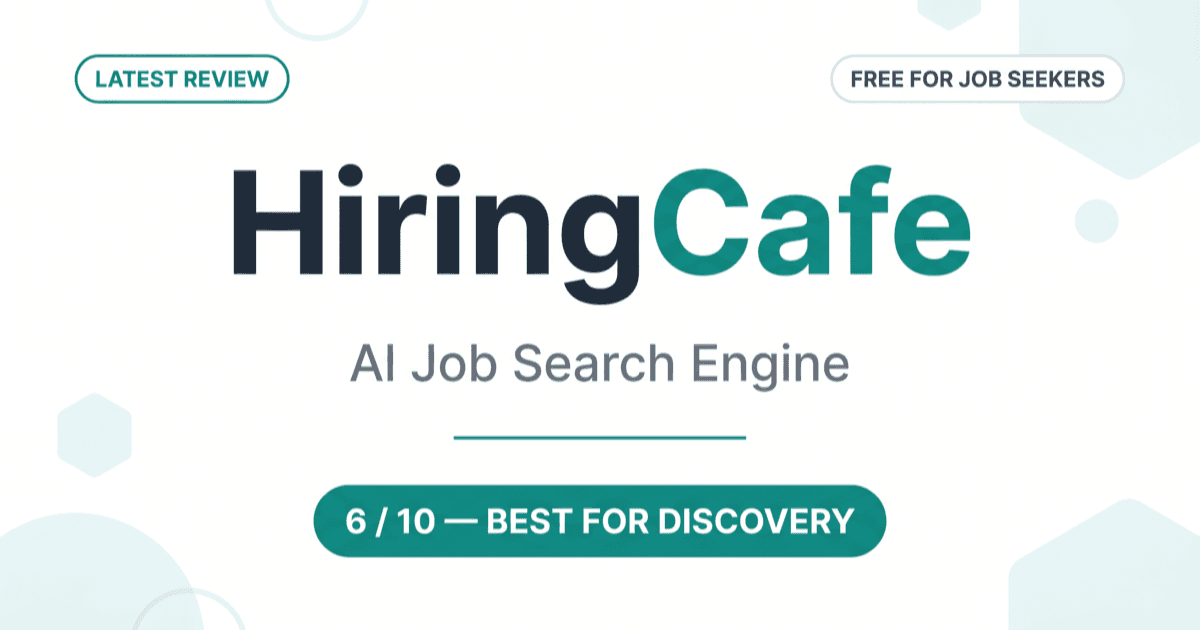
HiringCafe scores 6/10. Direct-to-company links: yes. Employer quality: yes. Filtering depth: excellent. Salary transparency: good, since salary is a core filter. Where it loses points: freshness is capped at twice-daily crawls, coverage sits around a third of US jobs, and there are no real-time alerts and no way to act on a listing beyond clicking through to apply manually. Strong on discovery, weak on speed and execution.
Remote Job Assistant isn't scored on this rubric, because it isn't a board you check each day — it's an auto-apply system that submits to 500,000+ company career pages on your behalf. It replaces the manual-apply step that keeps HiringCafe at a 6.
HiringCafe vs. Remote Job Assistant
This isn't a features-versus-features fight. It's discovery versus execution. HiringCafe is built to find jobs. Remote Job Assistant is built to apply to them.
If you're running a high-volume search — 30–50 roles a week — HiringCafe's twice-daily index and manual-apply flow become the bottleneck. In our test, applying to 5 senior roles meant navigating 5 separate company application systems, each with its own login, form fields, resume upload, and screening questions: about 45 minutes for 5 applications, or roughly 9 minutes each. Scale that to 40 a week and you're spending close to 6 hours just filling out forms. Remote Job Assistant's auto-apply removes that step entirely, submitting across a pool of 500,000+ company career pages.
But if you're targeting a short list of senior or executive roles where every application gets a custom cover letter anyway, HiringCafe wins outright — no auto-apply needed. When you're sending 8 carefully tailored applications a week, not 80, the manual-apply friction is irrelevant, and HiringCafe's filters and direct-to-company sourcing are simply the best free way to build that shortlist. There's no version of that search where an auto-apply tool helps; you'd be writing each cover letter by hand regardless. For low-volume, high-customization searches, HiringCafe alone is the right call.
The two tools genuinely complement each other: use HiringCafe to spot which companies are hiring in your field, then use Remote Job Assistant to apply at those companies — plus the thousands of similar ones HiringCafe hasn't crawled yet.
"HiringCafe finds the jobs. It just won't apply to them — and at 40 applications a week, applying is where the hours actually go."
| Feature | HiringCafe (June 2026) | Remote Job Assistant |
|---|---|---|
| Cost for job seekers | Free | Free to start |
| Source universe | 3.5M+ jobs, 116,386 companies | 500,000+ career pages |
| Auto-apply | No — manual on every job | Yes |
| Application tracking | Built-in (manual) | Built-in |
| Real-time alerts | No | Yes |
| Listing freshness | Twice-daily crawl | Ongoing |
| Mobile app | No (web only) | Yes |
For the full landscape of remote boards, see our best remote job boards guide.
Who Should Use HiringCafe?
HiringCafe is worth adding to your routine if:
- You want to discover remote roles that never hit Indeed or LinkedIn, straight from company career pages
- You value deep filtering and a clean, ad-free interface over raw listing volume
- You're building a focused shortlist of mid-to-large companies hiring in your field
- You're applying to a manageable number of carefully chosen roles each week
Skip HiringCafe — or pair it with auto-apply — if:
- You're applying to 30+ roles a week and need to move faster than a twice-daily crawl allows
- You want to react the instant a job posts, since there are no real-time alerts
- You run your search from your phone, since there's no mobile app (as of June 2026)
- You want something that actually submits applications for you instead of pointing you at another form
- You're outside the US, where coverage is thinnest
Used well, HiringCafe is a discovery engine: check it a few times a week to find quality employers, then use RemoteJobAssistant.com's auto-apply to handle the applications — including at the many similar companies it hasn't indexed yet. If you're aiming at six-figure remote roles specifically, our high-paying remote jobs guide pairs well with this workflow, and engineers can start with our remote software engineer jobs guide.
Stop Applying Manually
Our AI applies to hundreds of matching jobs while you sleep. Wake up to interviews, not more applications.
Frequently Asked Questions
Is HiringCafe legit? Yes. HiringCafe is a real company founded by former Meta and Stanford engineers and profiled by Business Insider in August 2024. ScamAdviser rates the site as safe, with only a minor flag for hidden WHOIS registration data. The one caveat is the inverse of most tools: HiringCafe has so few formal reviews (1 on Trustpilot as of June 2026) that you're trusting its 83,000+ member Reddit community rather than a star rating. Applications go directly to employer career pages, and the platform is currently free for job seekers, with no paid candidate tier as of June 2026.
Is HiringCafe free? Yes, completely free for job seekers. Search, advanced filters, saved jobs, boards, and the Application Tracker are all available with no account required and no premium tier. HiringCafe earns revenue from employers through promoted listings and a paid talent network, but those rates are quote-based and not published. There is nothing for a candidate to pay.
How does HiringCafe find jobs? HiringCafe runs a web crawler that visits company career pages directly — roles hosted on systems like Greenhouse, Lever, and Workday — roughly twice a day, then uses AI to normalize them into one searchable index. It deliberately skips third-party aggregators like Indeed and LinkedIn, which is why it surfaces roles those boards miss but also why new listings can be 12+ hours old before you see them.
Has anyone actually gotten hired through HiringCafe? Reddit's 83,000+ member community regularly posts callbacks and offers, and named users like designer Summer Chang publicly credit it for surfacing roles other platforms missed. But there's no tracked hire rate or verified success-rate data on any public review platform as of June 2026 — no denominators showing applications submitted versus interviews landed. The anecdotal sentiment is strongly positive; the independent, measurable proof simply doesn't exist yet.
Why does HiringCafe have so few reviews when Reddit loves it? As of June 2026, HiringCafe has only 1 review on Trustpilot, and we could not locate listings on ProductHunt, G2, Capterra, Sitejabber, or the BBB — yet its dedicated subreddit has 83,000+ members. The contradiction is explained by who its users are: a Reddit-native, technical audience that discusses tools in forums rather than leaving formal reviews. It's a sign of where the community lives, not a sign the product is weak.
Is HiringCafe better than Indeed and LinkedIn for remote jobs? For discovery, often yes — it shows roles posted only on company career pages that Indeed and LinkedIn never carry, with sharper filters and no ad clutter. Where it loses is speed and reach: Indeed and LinkedIn index far more total jobs and update continuously, while HiringCafe crawls twice a day and covers about a third of open US jobs so far. Many people use HiringCafe for quality and the big boards for breadth.
Does HiringCafe auto-apply to jobs for me? No. HiringCafe finds and organizes jobs, but every application is manual — you click through to each company's system and fill out the forms yourself, with no autofill or resume storage. If you want applications submitted automatically, that's the gap a tool like RemoteJobAssistant.com fills, applying across 500,000+ company career pages so you don't re-enter the same details on every site.
What's the best HiringCafe alternative? For curated remote listings, We Work Remotely and Jobspresso offer similar quality — see our We Work Remotely review and Jobspresso review. For high-volume curated boards, RemoteOK is worth a look (RemoteOK review). And to skip manual applications entirely, RemoteJobAssistant.com auto-applies across 500,000+ career pages, so you're not limited to what one crawler has indexed.
How do I use the Remote Job Board Effectiveness Index to evaluate HiringCafe? Score it on six criteria: listing freshness (capped by twice-daily crawls), employer quality (high), salary transparency (good — salary is a core filter), filtering depth (excellent), coverage (about a third of US jobs), and whether it helps you act (no — manual apply only). HiringCafe lands at 6/10 — strong on discovery, weak on speed and execution. Use the same rubric on any board before making it part of your daily routine.
HiringCafe is the best free remote job-discovery tool we tested in 2026: it pulls roles straight from 116,386 company career pages, filters them better than the big boards, and costs job seekers nothing. But with a twice-daily crawl, no real-time alerts, no mobile app, coverage reportedly around a third of US jobs, and zero application help, it scores 6/10 on the Remote Job Board Effectiveness Index — excellent at finding jobs, absent at applying to them.
Pair it with Remote Job Assistant's auto-apply to reach 500,000+ company career pages without filling out every form by hand.
HiringCafe is the best map of the remote job market nobody else will show you. It just won't drive the car.
Ready to Automate Your Job Search?
Let AI apply to hundreds of jobs for you while you focus on interviews.
Start Auto-ApplyingRelated Tool Comparisons
Dynamite Jobs Review: What 499 Live Listings Actually Pay (2026)
Dynamite Jobs is free and legit, but its promoted listings pay a median of about $30K. Our review of 499 live listings, its ratings, and the apply process.
24 min read
Remote Rocketship Review: Is the Paid Remote Job Board Worth It? (2026)
Remote Rocketship scores 4.1/5 on Trustpilot from 71 reviews, but it won't publish its price anywhere. Our verified review of the paid remote job board.
20 min read
Indeed vs. LinkedIn: Which Job Site Works for $75K+ Remote Roles
Indeed vs. LinkedIn for $75K+ remote jobs: real pricing, ghost-job data, trust scores, and a framework to decide where your job search time actually pays off.
20 min read