
Remote Work Setup GuideHome Office Essentials & Equipment
Remote work setup refers to the workspace, equipment, lighting, and software that lets you work productively outside a traditional office. Whether you call it home office setup or work from home setup—this guide covers it all.
Source: Stanford, Buffer State of Remote Work, 2025
Quick Start
Chair Guide
Ergonomics First
Your chair matters more than your desk. Learn what to look for at every budget level.
Chair Buying GuideVideo Call Setup
Look Professional
Lighting, audio, and camera tips that make you look polished on Zoom, Teams, and Meet.
Video Setup TipsDecision Tool
Personalized Path
Answer 5 questions to get setup recommendations tailored to your situation and budget.
Start QuizJump to section
TL;DR for Remote Workers
- Chair > Desk—your chair affects comfort more than any other purchase
- Lighting and audio matter more than camera quality for video calls
- Start minimal, identify real pain points, then invest in targeted solutions
- Small spaces work—closet offices and corner desks are legitimate options
- Still interviewing? Focus on video call presence before buying furniture
Fresh listings every 6 hours • One email per day
Your First Home Office Setup
Building a productive workspace from scratch
Setting up your first home office doesn't require a massive budget or dedicated room. What matters most is creating a space where you can focus, stay comfortable during long work sessions, and look professional on video calls. Start minimal, identify what actually bothers you, then invest strategically.
Tier 1: Essentials (Under $200)
If you're just starting or budget is tight, focus on these items that deliver the biggest impact for the lowest cost. A laptop stand is perhaps the single best ROI purchase—for $25-40, you prevent neck strain that would otherwise cost you comfort and productivity for months.
Essential Tier ($50-200)
- Laptop stand ($25-40) — prevents neck strain immediately
- External keyboard + mouse ($30-50) — enables proper posture
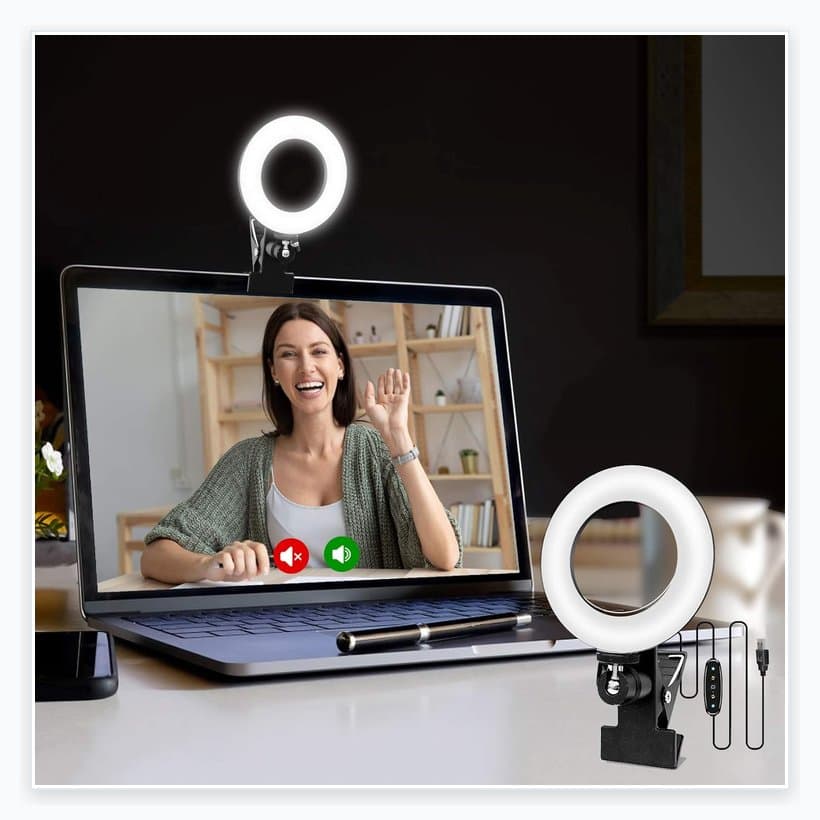
- Ring light or desk lamp ($20-40) — better video call presence
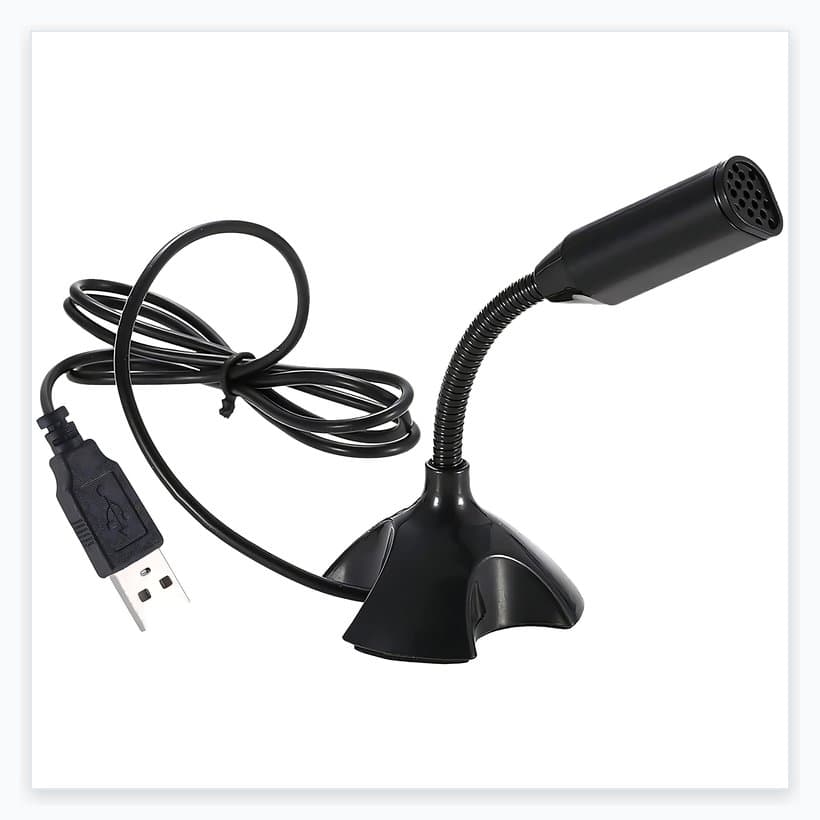
- USB headset or wired earbuds ($20-50) — reliable audio for calls
Tier 2: Comfortable (Under $500)
Once you've worked remotely for a few weeks, you'll know what actually bothers you. For most people, that's chair quality. This is where a mid-range ergonomic chair makes a significant difference in daily comfort.
Comfort Tier ($300-500)
- Mid-range ergonomic chair ($150-300) — this is your highest-impact upgrade
- 24" external monitor ($100-200) — or use laptop stand if budget tight
- Basic desk if needed ($50-150) — any stable surface works at this tier
What to Skip (For Now)
Skip These Initially
- Standing desk — fix your chair first; standing is optional
- Expensive webcam — phone + Camo app looks better than most webcams
- Multiple monitors — one good monitor beats two mediocre ones
- Expensive mechanical keyboard — basic keyboards work fine for most people
Connectivity & Internet Backup Planning
Internet failure during an important call is every remote worker's nightmare. The goal isn't perfect internet—it's having a practiced recovery plan.
Your Internet Backup Plan
The Hardwire Rule: WiFi is convenient, Ethernet is professional. A $10 cable eliminates lag and dropout risk for important calls.
- □ Know how to hotspot from your phone (practice the steps)
- □ Have your interviewer's or meeting organizer's phone number ready
- □ Test hotspot video call quality in advance
Small Space Solutions
Closet offices, bedroom corners, and living room nooks
You don't need a dedicated room to work remotely. Some of the most productive home offices fit into closets, bedroom corners, or living room nooks. The key is smart space utilization and creating mental separation between "work mode" and "home mode."
Closet Office Conversions
Closet offices have become surprisingly popular—and for good reason. A standard closet provides natural separation from living space, can fit a desk and chair, and the doors (if kept) let you "close" the office at day's end.
Closet Office Checklist
- Remove closet rod and excess shelving
- Install shelf or floating desk at 28-30" height
- Add LED strip or desk lamp (closets lack natural light)
- Run power strip for outlets
- Consider bifold doors or curtains for "closing" office
Space-Saving Desk Options
- Wall-mounted folding desk — folds flat when not in use
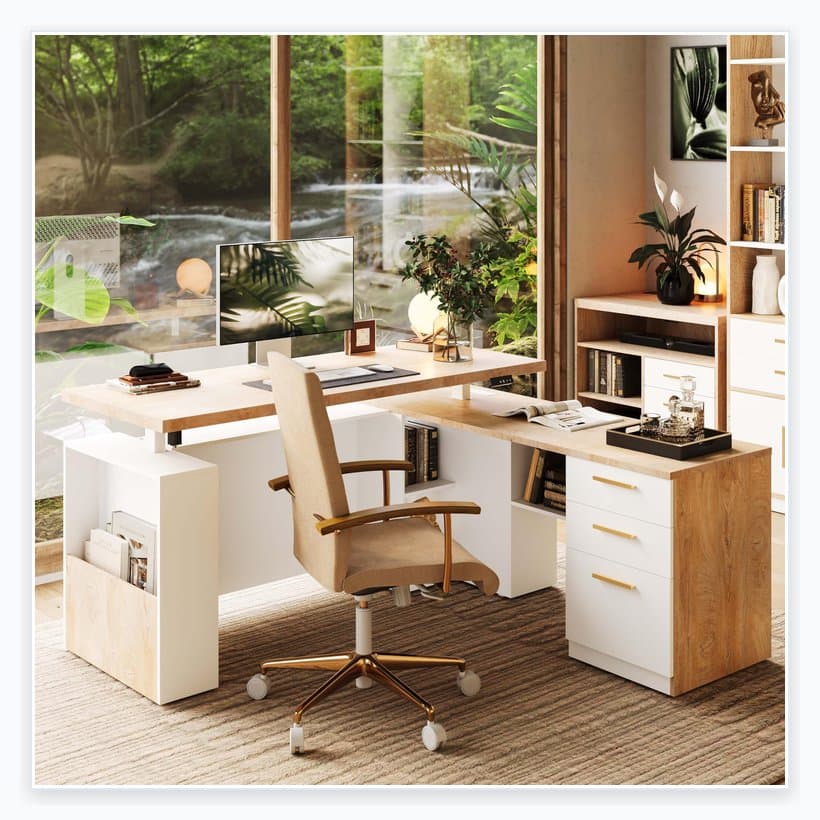
- Corner desk — uses often-wasted corner space
- Ladder desk — combines desk and shelving vertically
- Secretary desk — closes to hide work equipment
Chairs & Ergonomics
Why your chair matters more than your desk
Why Chair > Desk
Remote work increases static sitting time by 2-3 hours daily compared to office work (no walking to meetings, lunch spots, or coworkers' desks). Your chair is in direct contact with your body for 8+ hours—the desk just holds your stuff. Fix the chair first.
According to OSHA's computer workstation ergonomics guidelines, proper seating supports your lower back's natural curve, keeps your feet flat on the floor, and positions your thighs parallel to the ground. Most dining chairs and cheap office chairs fail at all three.
Essential Chair Features
- Adjustable seat height — feet flat on floor, thighs parallel to ground
- Lumbar support — maintains spine's natural curve (adjustable is better)
- Seat depth adjustment — 2-4 finger gap between seat edge and knees
- Breathable material — mesh backs prevent heat buildup
Chair Recommendations by Budget
Under $200: Best Value Pick
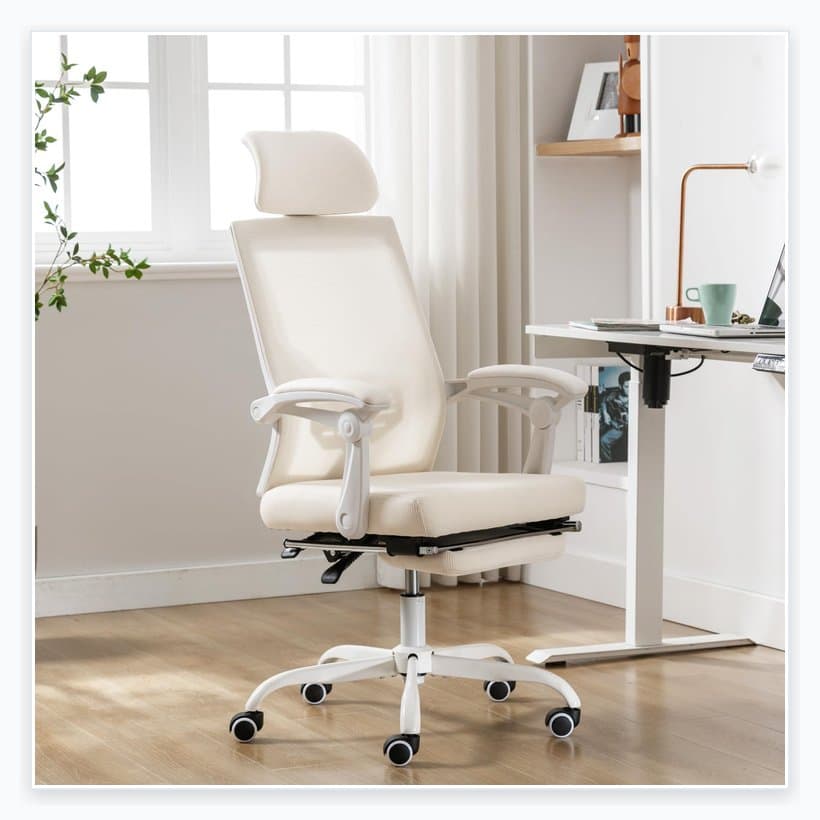
Our PickThe Ticova Ergonomic Chair offers 4D armrests, adjustable headrest, and lumbar support—features typically found in $400+ chairs. Best value under $200.
$300-600: Mid-Range Sweet Spot
Branch Ergonomic Chair, Autonomous ErgoChair, or Secretlab Titan all offer good adjustability and build quality.
$800+: Buy It For Life
Herman Miller Aeron, Steelcase Leap, or Humanscale Freedom. Consider refurbished—they're 40-60% off retail from certified resellers.
Browse refurbished Herman Miller on AmazonVideo Call Setup
Lighting, audio, and camera for professional presence
Why Overhead Lighting Ruins Calls
Overhead lighting creates shadows under your eyes, nose, and chin—making you look tired and unprofessional. Front-facing light at eye level eliminates these shadows.
Interview Setup (Before You Get the Job)
Still interviewing? Don't buy expensive equipment yet. A phone with the Camo app produces better video than most webcams, and you already own it.
$0-50 Interview Setup
- Camera: Phone + Camo app (free tier) — mounts at eye level
- Lighting: Face a window, or $20 ring light
- Audio: Wired earbuds you already own
- Background: Clean wall, bookshelf, or neutral space
Audio: More Important Than Video
People tolerate bad video but hate bad audio. Prioritize this over webcam upgrades.
Audio Options (Best to Worst)
- Wired earbuds with mic — most reliable, no battery issues
- USB headset ($30-50) — Jabra or Logitech work well
- AirPods Pro / quality wireless — good but occasional dropout
- Laptop built-in mic — avoid if possible
Software Fix: AI Noise Cancellation
If you can't afford a quiet room or fancy mic, AI noise cancellation is your best friend. Krisp.ai works with any app. Zoom and Teams have built-in noise suppression—turn it on in settings.
Budget & Stipend Strategy
Maximizing value at every price point
How to Maximize Your New Hire Stipend
Many remote companies offer $500-1,500 stipends for home office setup. This is free money—use it wisely on buy-it-for-life items rather than spreading thin across mediocre purchases.
$500 Stipend Allocation
Typical Stipend- Mid-range mesh ergonomic chair$250
- 24" IPS monitor$150
- USB headset or quality audio$50
- Ring light or desk lamp$50
- Total$500
$1,000 Stipend Allocation
Generous Stipend- Quality chair (refurb Herman Miller or Branch)$500
- Electric standing desk$300
- 27" 4K monitor$150
- Quality audio setup$50
- Total$1,000
Note: Save receipts for all purchases in case of tax questions or employer reimbursement documentation.
Common Setup Mistakes
Avoid these costly errors
Buying a standing desk before fixing your chair
Standing desks are trendy, but most productivity and health benefits come from a quality chair and proper positioning. Fix the chair first—standing desks are optional upgrades.
Using overhead lighting for video calls
Overhead lights create harsh shadows under your eyes and nose. Front-facing light at eye level (a window or ring light) eliminates shadows and makes you look professional.
Placing monitors too low
When your monitor is too low, you tilt your head down 15-20°. This puts 27+ lbs of effective weight on your neck muscles. Top of screen should be at or slightly below eye level.
Over-spending on day one
You don't know what you actually need until you've worked remotely for a few weeks. Start minimal, identify real pain points, then invest in targeted solutions.
Ignoring audio quality for video calls
People tolerate bad video but hate bad audio. A $30 USB headset or quality wired earbuds beat most laptop mics. Prioritize audio over webcam upgrades.
Assuming W-2 employees get home office tax deductions
Under current US tax law (post-2017 TCJA), W-2 remote employees generally CANNOT deduct home office expenses. Only self-employed individuals qualify for the home office deduction.
Copying influencer setups
Those minimalist desk photos are staged for Instagram. Real productive setups have cables, notebooks, and coffee cups. Optimize for your work, not aesthetics.
Buying gear before your first interview
Still interviewing? Focus on lighting and audio for calls—not furniture. Your phone + Camo app + good lighting costs $0-50 and looks better than most webcams.
Find Your Setup Path
Answer 5 quick questions to get personalized recommendations
What's your current situation?
Home Office Tax Deductions
What you can (and can't) deduct
Important: W-2 Employees Generally Cannot Deduct
Under current US tax law (post-2017 Tax Cuts and Jobs Act), W-2 employees generally cannot claim home office deductions, even if they work remotely full-time. This deduction is only available to self-employed individuals.
Who Qualifies for Home Office Deductions
Per IRS Publication 587, you may qualify for a home office deduction if you are:
- Self-employed (sole proprietor, freelancer, contractor)
- Using the space regularly and exclusively for business
- It's your principal place of business (or used to meet clients)
This is general information, not tax advice. Tax laws change frequently—consult a qualified tax professional for guidance on your specific situation.
Frequently Asked Questions
At minimum: a laptop, reliable internet (25+ Mbps), a quiet space for calls, and decent lighting. Everything else can wait until you identify specific needs. Many people work effectively from a kitchen table for weeks before investing in dedicated equipment.
A functional setup can cost $200-500. A comfortable long-term setup runs $500-1,500. The biggest ROI items are: a quality chair ($200-600), proper monitor positioning ($25-150 for a stand or arm), and good lighting ($20-50). Standing desks and premium monitors are nice-to-haves, not essentials.
Maybe. Health benefits come from movement variation, not standing itself. If you'll actually alternate between sitting and standing throughout the day, a standing desk helps. If you'll stand for a week then never again, save your money. A quality chair matters more for most people.
Budget $200-600 for a chair you'll use 8+ hours daily. Key features: adjustable height, lumbar support, breathable material. Good options include Branch, Autonomous, or refurbished Herman Miller/Steelcase. Gaming chairs are generally worse than similarly-priced office chairs for long work sessions.
Not necessarily, but it helps. An external monitor (or laptop stand + external keyboard) lets you position the screen at eye level, which prevents neck strain. If budget is tight, a $25-40 laptop stand provides 80% of the ergonomic benefit at 10% of the cost.
Three things matter: 1) Lighting—face a window or use a ring light at eye level, 2) Audio—use wired earbuds or a USB headset, not laptop speakers, 3) Background—clean, simple, not distracting. Camera quality matters least. A phone with Camo app beats most webcams.
It depends on your employment status. Self-employed individuals can deduct home office expenses (dedicated space used regularly and exclusively for business). W-2 employees generally cannot claim these deductions under current US tax law (post-2017 TCJA). Keep receipts regardless—tax law changes, and state rules may differ.
Closet conversions work surprisingly well—remove doors, add a shelf desk and lighting. Corner desks or wall-mounted folding desks maximize floor space. A laptop + portable monitor combo takes minimal room. The key is separating "work mode" mentally, not physically. Some people use a specific chair or lighting setup as their "office" signal.
Setup Complete? Find Your Remote Job
Your home office is ready. Now find the remote job that lets you use it every day.